Chat inside the IDE
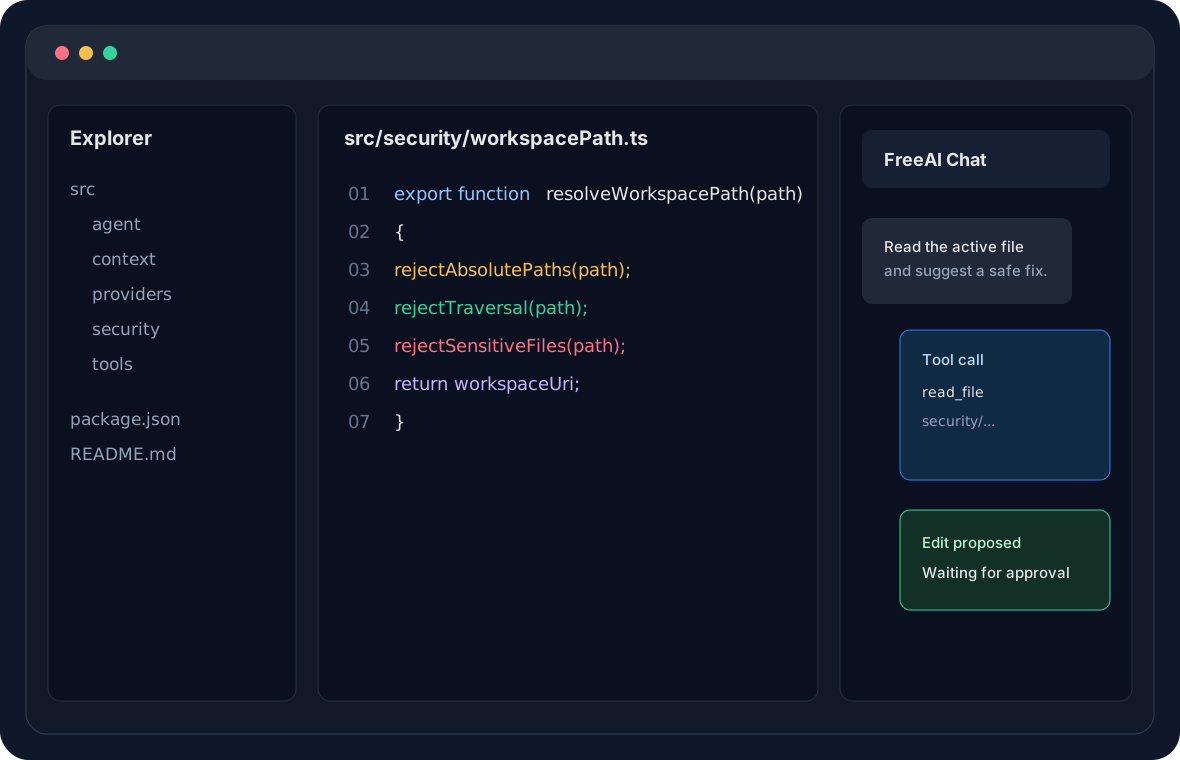
Ask questions from a sidebar while FreeAI includes the active file, selection, nearby code, and diagnostics.
 FreeAI IDE
Local-first AI coding assistant
A VS Code extension that brings AI chat, workspace inspection, secure code search, patch proposals, and user-approved edits into the editor.
What it does
Ask questions from a sidebar while FreeAI includes the active file, selection, nearby code, and diagnostics.
Local models are the default path. OpenAI-compatible providers are optional and BYOK only.
The agent can list files, read safe files, search code, and propose edits through a restricted tool layer.
Edits are proposed first and applied only after the user approves them in the editor.
Security model
FreeAI IDE rejects path traversal, blocks sensitive files by default, excludes generated folders, and stores cloud API keys only in VS Code SecretStorage.
Quick start
brew install ollama
ollama serve
ollama pull qwen2.5-coder:7b
npm install
npm run compile
Roadmap
Chat sidebar, Ollama streaming, context, secure tools, and patch approval.
Cloud warning, provider tests, security tests, and packaging polish.
Bundle the extension into a rebranded standalone editor without Microsoft VS Code branding.